 Fitness Trak™
What To Write In A Workout Log, A Simple Template That Works
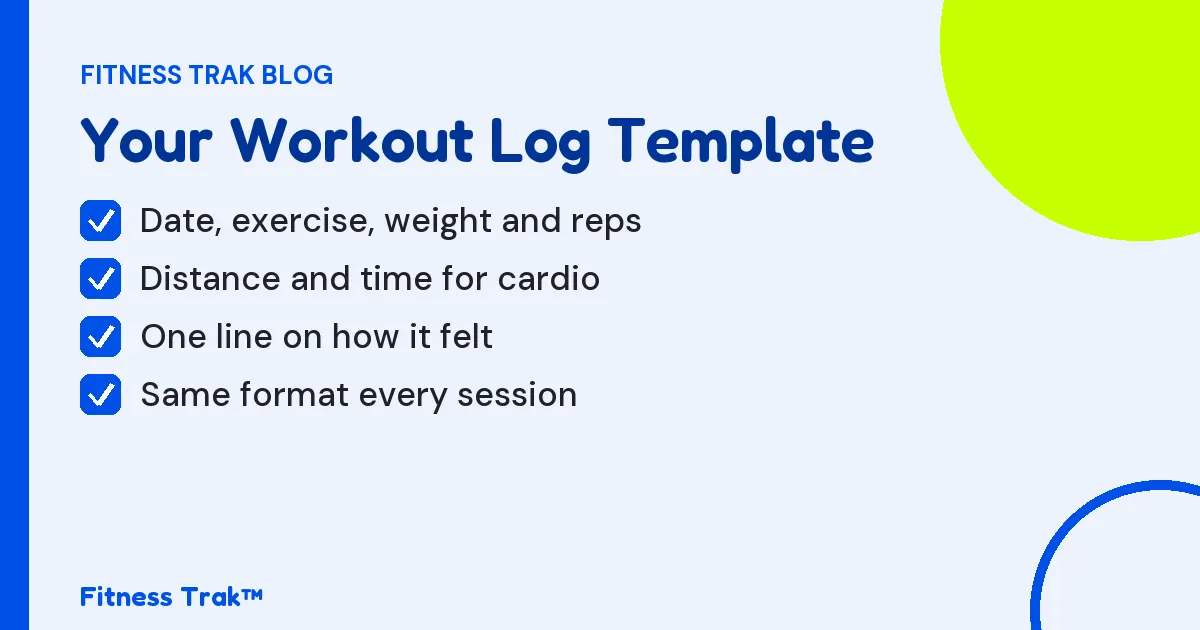
Searching for a workout log template turns up hundreds of printable sheets. Most have too many boxes, and the rest have too few. The best template is the one you fill in every time, so it should hold what you need to plan your next session and nothing more.
Below are the fields that matter for each kind of training, a sample entry, and the mistakes that make logs useless after a few weeks.
Why a log beats memory
You can't progress on purpose without knowing where you are. The American College of Sports Medicine's guidance on resistance training is built around progressive overload, which means gradually doing more over time. Its rule for adding weight depends on comparing your last two sessions. That comparison is only possible if the numbers are written down. For a full walkthrough, see how to track progressive overload.
A log also helps with the big picture. The CDC recommends adults get at least 150 minutes of moderate aerobic activity a week, plus muscle strengthening on at least 2 days that works all major muscle groups. A weekly glance at your log tells you whether you hit that.
The core fields for every entry
Every workout, whatever the type, should have:
- Date
- Type of workout, such as push day, easy run or yoga class
- Duration, start to finish
- A one-line note on how it felt, how you slept or anything unusual
Those four fields alone give you a record of how often you train and what you did. The fields below add the detail that drives progress.
Strength training fields
For each exercise:
- Exercise name, written the same way every time
- Weight and unit, pounds or kilograms
- Reps for each set
- Set type, such as warm-up, working, drop set or to failure
- Effort, as RPE or reps in reserve, if you use it (here is how to log RPE)
- Rest time, if you are testing different rest lengths
Writing exercise names the same way matters more than it seems. "DB bench," "dumbbell press" and "flat DB" will look like three exercises when you try to chart your progress.
Cardio Fields
Cardio needs different fields depending on the activity:
- Running and walking: distance, time, pace, route or treadmill, and which shoes (why shoes matter)
- Cycling: distance, time, and indoor or outdoor
- Swimming: pool length, laps or distance, and stroke
- Rowing: meters, time and split per 500 meters
- Intervals: work time, rest time and rounds (how to log EMOM, AMRAP and Tabata)
One sheet with columns for every cardio type ends up mostly blank. Use only the fields that fit what you did.
Classes, rehab and body data
- Classes: class name, studio, instructor and how hard it felt.
- Rehab: the exercises your physical therapist assigned, sets, reps or holds, and your pain rating. See tracking PT exercises at home.
- Body data: body weight and tape measurements on a set schedule. See how to take body measurements and progress photos.
A sample entry
Here is a strength day written in a plain format you could copy into any notebook.
Tuesday, push day, 55 minutes. Slept 6 hours, felt flat at first.
- Bench press, warm-ups at 95 x 10 and 135 x 5
- Bench press, 185 x 8, 185 x 8, 185 x 7, RPE 8 to 9
- Overhead press, 95 x 10, 95 x 9, 95 x 8
- Cable fly, 30 x 12 for 3 sets
- Note: bench felt heavy on set 3, add 5 pounds after two sessions of 8, 8, 8
That entry tells you what to do next time without any thinking. It also shows the warm-ups apart from the working sets, which keeps your personal records honest.
Mistakes that ruin a log
- Logging the plan instead of what happened. If you planned 8 reps and did 6, write 6.
- Skipping bad days. Bad days are data. They explain dips later.
- Changing your format. Pick one layout and keep it, so you can compare across months.
- Never looking back. A log that is never reviewed is a diary. Check your main lifts or runs once a month.
- Losing it. Paper gets wet and phones get replaced. Keep a backup copy somewhere you control.
Notebook, spreadsheet or app
A notebook is fast and has no screen. A spreadsheet is good for charts but slow on a phone. An app can fill in last time for you.
Fitness Trak is a workout log built around these fields. The next set is filled in from last time, and Set Done saves the set at once and starts the rest timer. It marks warm-up, drop, failure and AMRAP sets, handles 44 cardio types with only their own fields, and logs classes, rehab exercises and body measurements in the same app. If you train at a gym, how to cancel a gym membership explains the contract dates worth keeping. Each person in your home can have their own profile on the phone. You can import an existing spreadsheet, and export a spreadsheet or a backup file you keep wherever you choose. Our guides on how to back up workout data and how to export Strong workout data cover keeping that history safe. See everything it tracks, or watch the short video. Fitness Trak is coming soon to the App Store and Google Play.
Frequently asked questions
What is the most important thing to record in a workout log?
For strength training, record the exercise, the weight and the reps you actually completed for each set. For cardio, record distance and time. Those numbers are what you compare against next time.
Should I use a printable workout log or an app?
Use whichever one you will fill in every session. Paper is simple and has no distractions. An app can show last time's numbers while you train and build charts for you. Some people start on paper and move their history into an app later.
How detailed should my workout log be?
Detailed enough to plan your next session. For most people that means exercise, weight, reps and a short note. Add effort, rest time or other fields only if you will actually use them.
How long should I keep my workout log?
Keep it as long as you train. Old entries show long-term progress, help you restart after a break and give a doctor or physical therapist useful history if you get hurt.
Sources
- American College of Sports Medicine position stand. Progression models in resistance training for healthy adults (PubMed)
- CDC, Physical Activity Guidelines for Adults